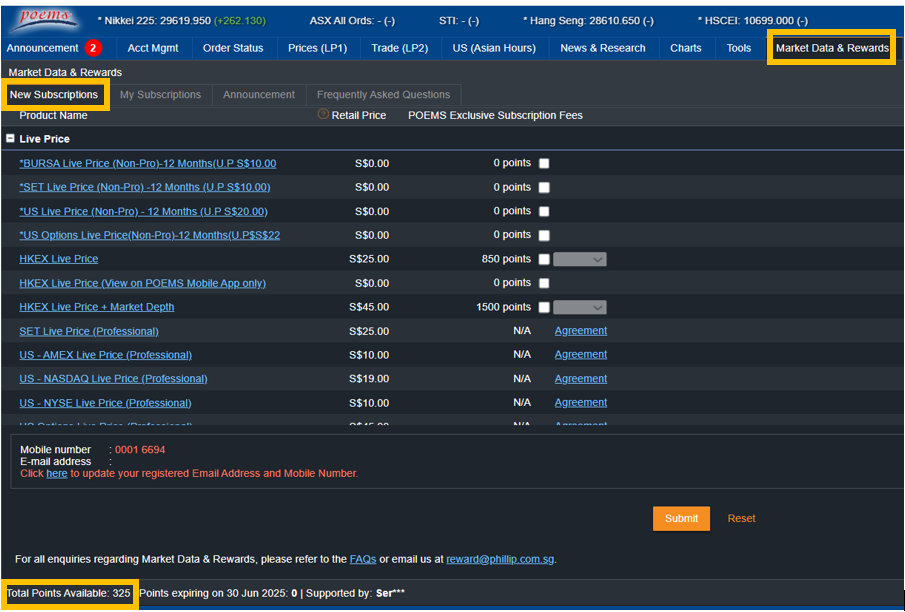
Login to POEMS 2.0 --> “Market Data” --> “New Subscriptions” (bottom left side of the application)
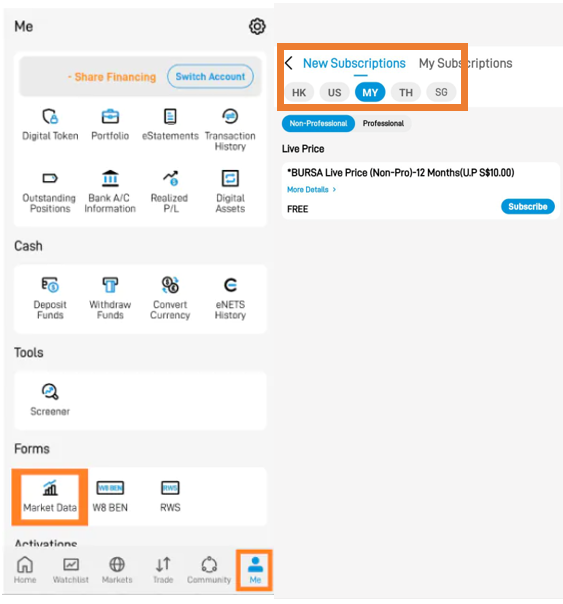
Login to POEMS Mobile 3 App --> “Me” tab --> “Market Data” Icon --> “New Subscriptions” (bottom left side of the application)

Login to POEMS 2.0 --> “Market Data” --> “New Subscriptions” (bottom left side of the application)
Login to POEMS Mobile 3 App --> “Me” tab --> “Market Data” Icon --> “New Subscriptions” (bottom left side of the application)
Comments
0 comments
Please sign in to leave a comment.